
Below are screenshots with a description to help you with the ResiPark listing process. If you have any trouble, please contact us and we’ll help you with the process.
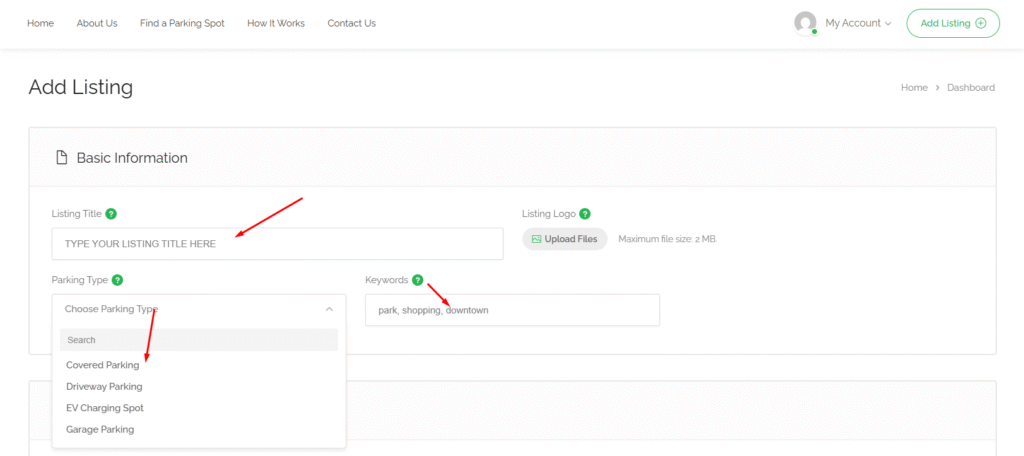
Input your listing title, choose which type of parking you are offering, also can add some keywords to make your ad even more searchable.
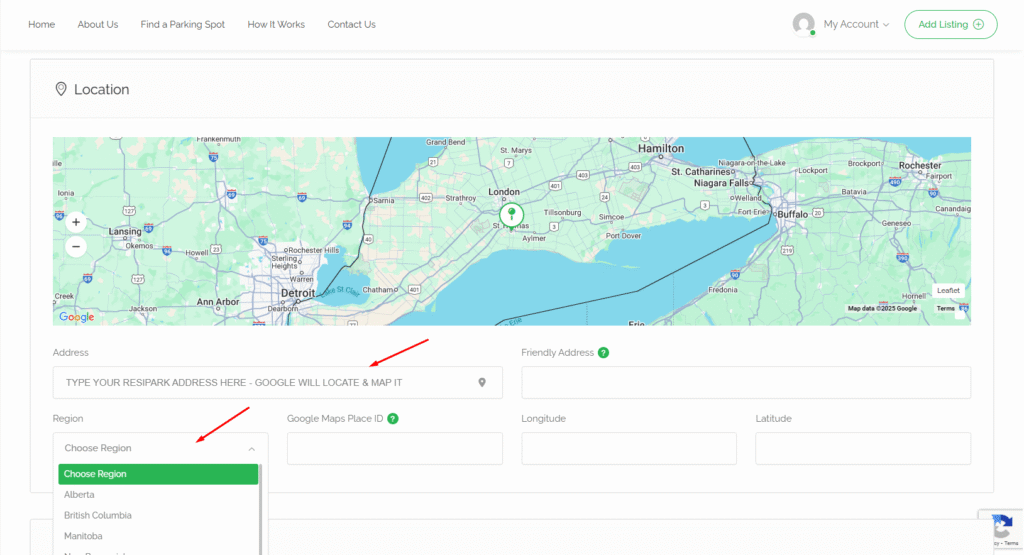
As soon as you start typing your address – Google wil take over and help you with finalizing your location. Be sure to also check which Province your ResiPark location is.
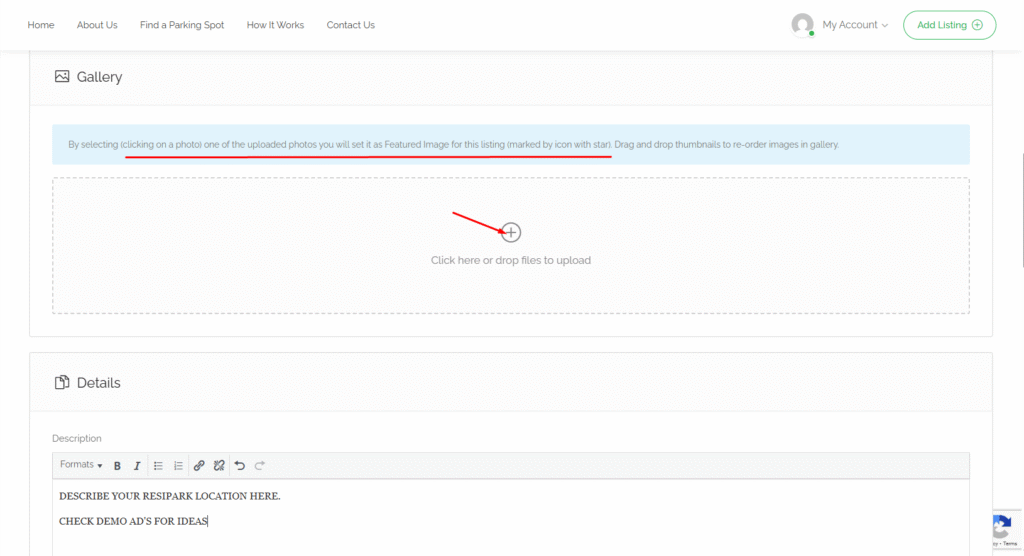
Upload a picture of your ResiPark location with description. Check our demo ads for ideas to use in your own listing.
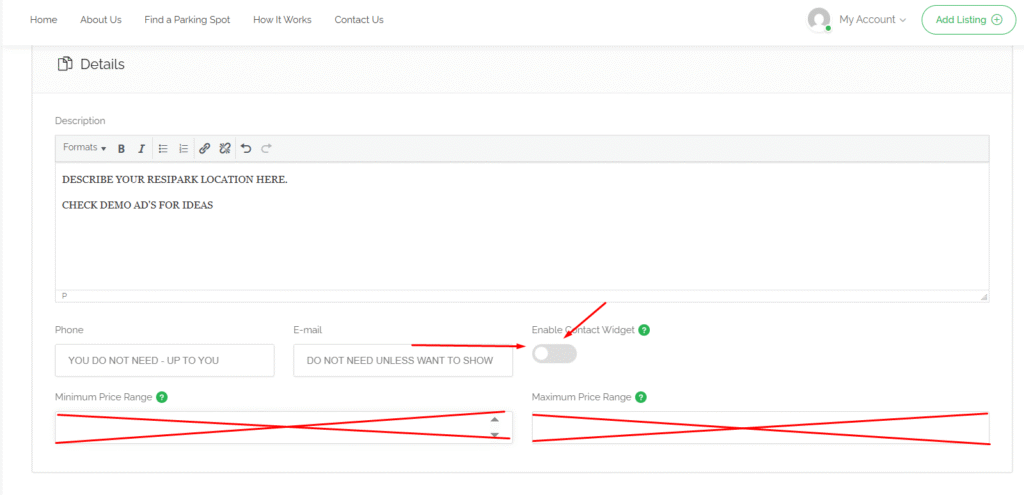
You do not need to input your phone number or contact email if you don’t want to. You can if you like to show off in your public ad. People wanting to book your “ResiPark” will be able to contact you through the backend of the website so the choice is up to you.
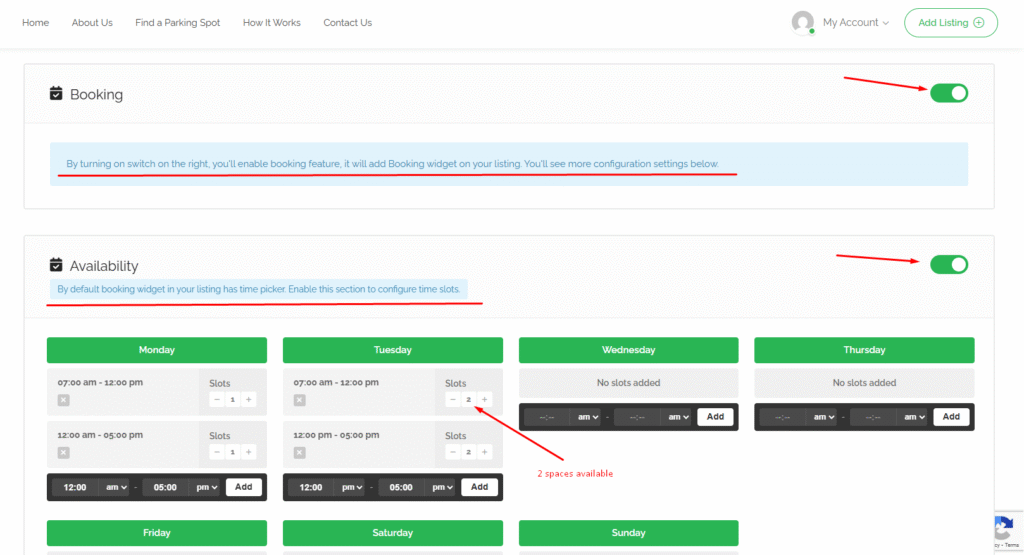
Turn on the “Booking” and also “Availability” area. With these turned on you are able to create your ResiPark weekly booking widget for what times and how many slots available.
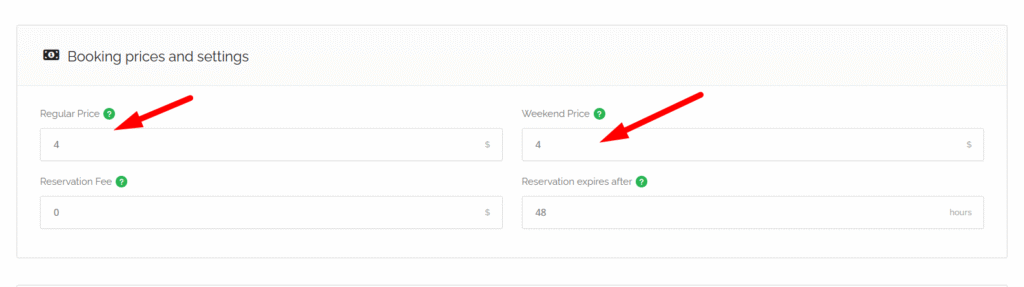
Add your final price for both week and weekend bookings.
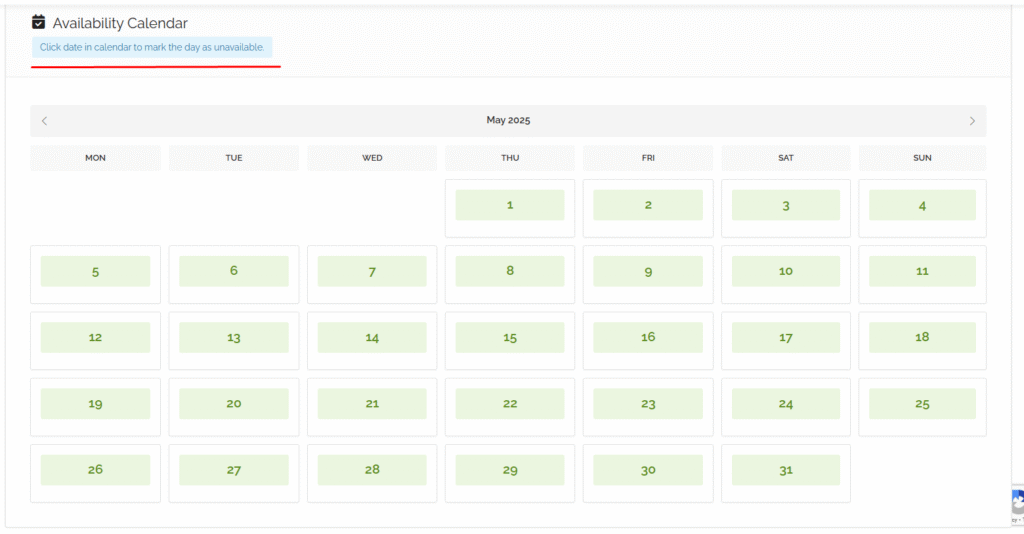
Click any date to REMOVE it from your booking availabilty.
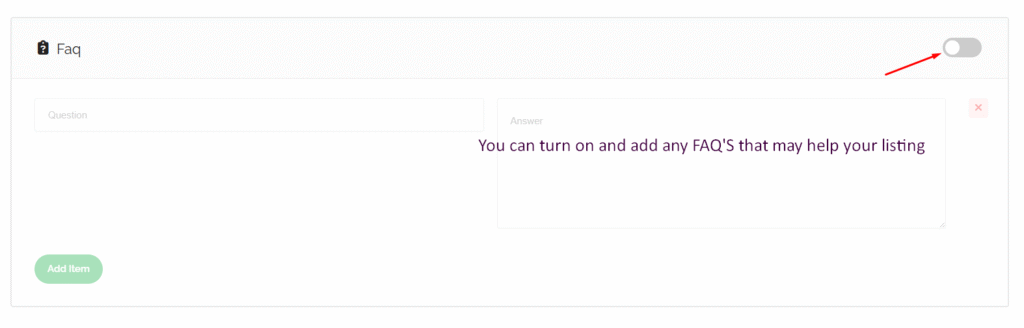
You can add FAQ’s to your listing as well. Not needed but a good little add-on to help promote your ResiPark.
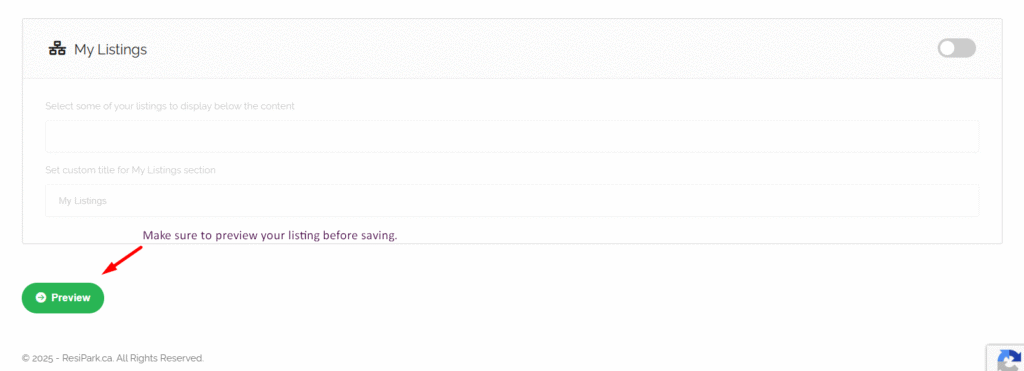
At the bottom of the page -before you can save your listing – you need to PREVIEW it.

After clicking PREVIEW – you will be taken to the final view screen – scroll to the very bottom to “Submit Listing”